
Business website checklist for Nigerian businesses.
What to include, what to ask your designer and what to test before you launch a website that supports real enquiries.

A useful business website explains what you offer, who it is for, why someone should trust you and how to take the next step. It also needs a usable mobile layout, working enquiry routes, clear ownership and basic search optimisation.
Use this checklist before commissioning a new website or reviewing one you already have. Start with the decisions that affect the customer journey, then agree on the design and technical scope.
A prospective customer may discover your business through Google, a social post or a WhatsApp referral. When they open your website, they should be able to understand the offer without asking you to explain everything again.
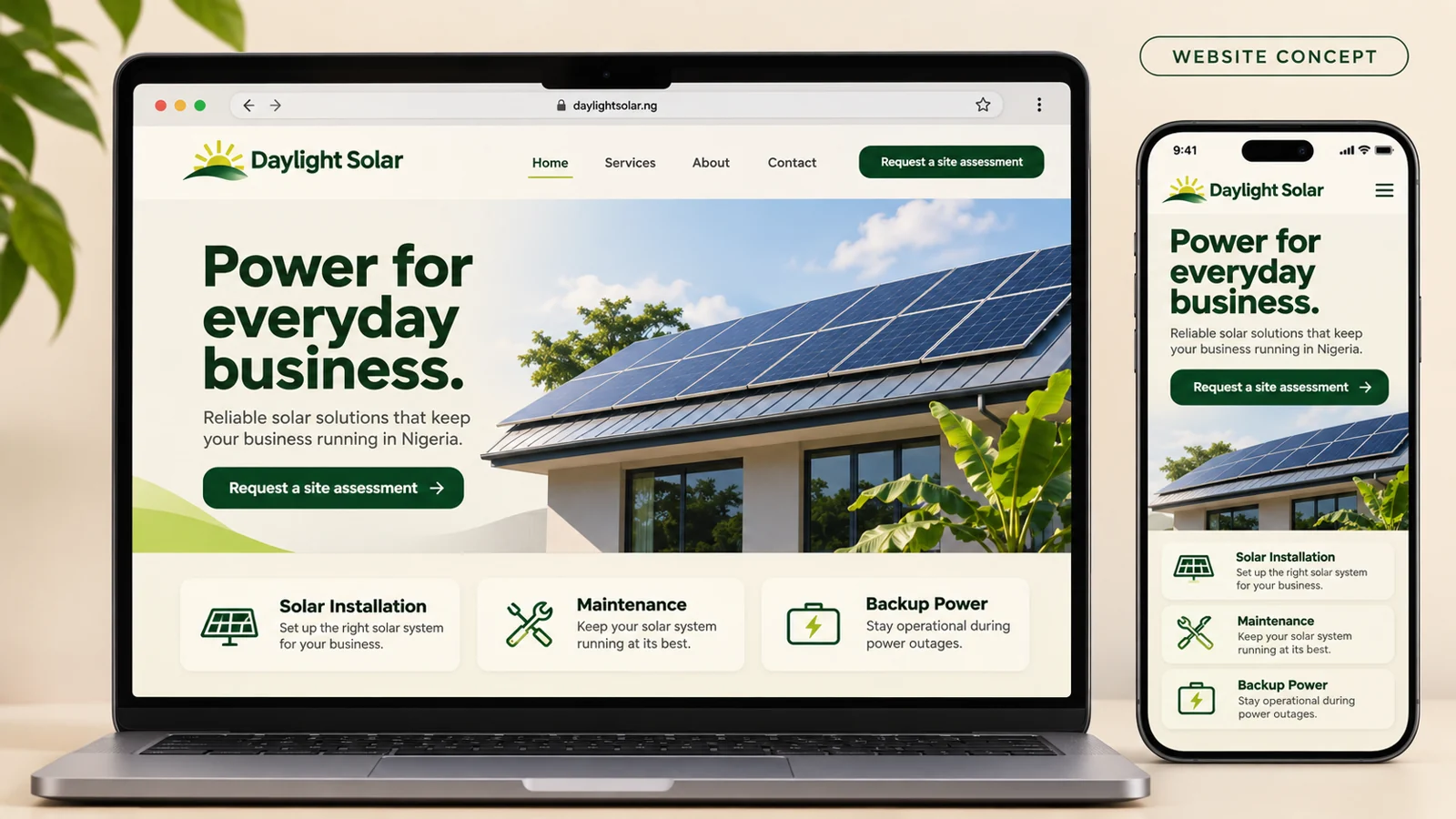
For a Nigerian travel agency, that may mean presenting travel support and collecting a useful request. For a solar installer, it may mean explaining the installation process and arranging an assessment. The right website requirements depend on how your business actually sells.
1. Start with the enquiry you want.
Before choosing a theme or approving a homepage, write down your main customer, the need bringing them to you and the action you want them to take. A website with several unrelated calls to action can make a simple decision feel difficult.
For example: “We help small offices plan solar backup systems. The website should help an office manager understand our process and request an assessment.” That sentence gives your designer a better starting point than “make it modern”.
- UnderstandExplain the service and the customer problem it addresses.
- AssessShow relevant details, real evidence and what happens next.
- EnquireOffer a clear action and collect enough context to respond.
Choose one primary action for each important page: request a quote, book a conversation, ask about availability or buy a product. Secondary routes such as phone and WhatsApp should support that journey.
2. Plan pages around customer questions.
A homepage introduces the business. Dedicated pages provide the detail a buyer needs to make a decision. Avoid squeezing every service, industry and frequently asked question into one long homepage.
- Home: your offer, audience, main services, relevant evidence and the next step.
- Services: an overview that leads to a useful page for each distinct service you genuinely provide.
- About: the people, experience and working approach behind the business.
- Projects or case studies: real work, your role, the scope and approved examples.
- Contact: working contact details, a suitable form and a clear explanation of how enquiries are handled.
- Helpful resources: articles that answer real questions customers ask before buying.
Add privacy information and any policies your enquiry, booking or checkout process requires. Keep the menu short enough to use on a phone, and make service pages reachable through a visible services section.
Start with our website design and redesign service if you need help turning these requirements into a page structure.
3. Match the features to your type of business.
A product catalogue, a travel request and a property viewing enquiry need different information. The examples below are planning options, rather than a list of features every company should buy.
| Business | Information visitors need | A useful next action |
|---|---|---|
| Travel agency | Services, destinations, process, exclusions and current package details where applicable. | Send destination, intended dates and traveller count. |
| Solar company | Installation services, project examples, service coverage and assessment process. | Request an assessment with location and power needs. |
| Property business | Accurate listings, locations, current availability and approved property images. | Request a viewing for a specific property. |
| Hotel or shortlet | Rooms, amenities, location, policies and how availability is confirmed. | Ask about dates and guest numbers, or use an agreed booking system. |
| Retail business | Product details, stock, delivery coverage, returns and payment steps. | Complete a tested checkout or send a product-specific request. |
| Professional firm | Service areas, relevant experience, team information and engagement process. | Describe the need and request a consultation. |
Decide whether a feature needs live data, manual confirmation or a connection to another system. A hotel enquiry form is a different scope from a booking engine that checks availability and takes payment. Clarify that distinction before agreeing on a proposal.
4. Prepare content that earns trust.
A polished layout needs specific material behind it. Gather your service descriptions, logo files, approved photographs, project details and the questions people repeatedly ask on WhatsApp. Those conversations often reveal what your website currently fails to explain.
For each service, answer: who needs it, what is included, what the customer must supply, how the work happens and what the next step involves. Explain limitations where they affect a buying decision.
Use real project images and accurately describe the work you handled. Get permission before publishing client information or testimonials. Label mockups as concepts, and use illustrations to explain an idea rather than present them as completed customer work.
A practical content test: remove your logo from a service page. If the same words could describe almost any competitor, add detail about your actual offer, process and evidence.
For a redesign, list existing pages and identify which to keep, improve, combine or retire. Agree on redirects when addresses change so useful old links still take visitors to a relevant page.
5. Make the website usable on a phone.
Test with a phone before approving the design. Open the site from a shared WhatsApp link, read a service page, use the menu and complete the main action. Check portrait view, keyboard behaviour and whether a sticky header covers important content.
- Text should be readable without pinching to zoom.
- Buttons and form fields should be comfortable to tap.
- Menus, tables and images should stay within the screen.
- Forms should show useful labels and clear error messages.
- Important information should remain available without an animation or hover effect.
Large photographs and unnecessary scripts can slow pages down. Ask for appropriately sized, compressed images and reserved image dimensions to reduce layout movement. Load below-the-fold images when needed, while allowing the main visible image to load promptly. web.dev explains this distinction.
Use performance tools alongside a real phone test. A single score cannot confirm that your form works, your message is clear or your page feels comfortable to use.
6. Plan what happens after someone enquires.
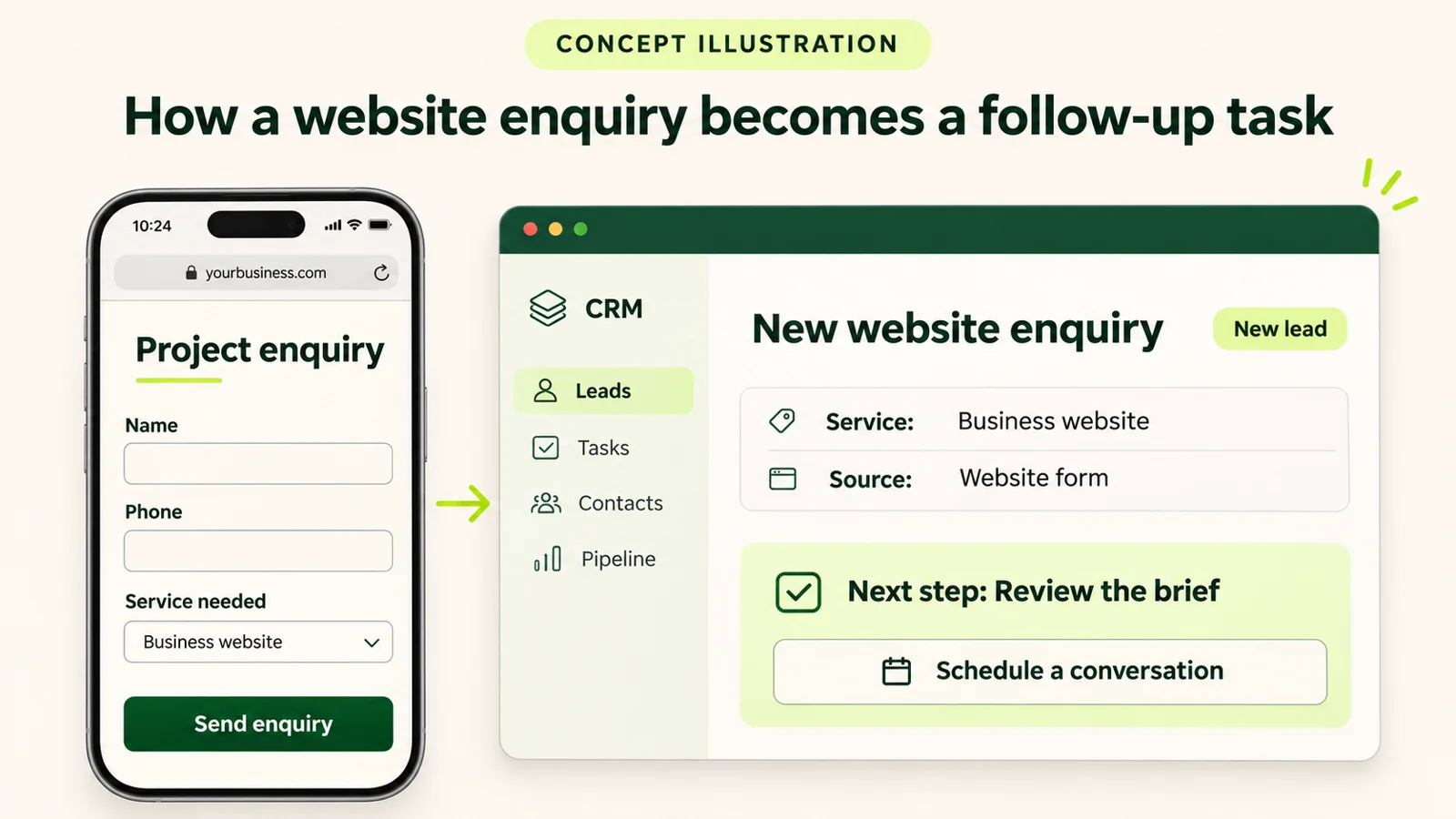
Put the follow-up process in the website brief. Decide who receives an enquiry, where the details are stored and what happens if the first notification is missed.
A short service enquiry might need a name, phone or email, service of interest and a brief description. Collect only what your team needs at that stage. Explain the use of submitted details in accessible privacy information.
Connect the website to a manageable sales process.
Start with clear stages such as New enquiry, Contacted, Qualified, Proposal sent, Won and Lost. Assign an owner and a next action to each genuine opportunity. A personalised CRM can organise this around your way of selling, but the website, notification and CRM connection need to be tested together.
WhatsApp is useful when your customers prefer a conversation. Include a relevant page or service in the prefilled message, check that the number is correct and make sure someone is responsible for responding. A WhatsApp link by itself does not synchronise messages or create CRM records; that requires a separately configured integration.
Measure interest and completed enquiries separately.
Record a successful form submission as an enquiry event. Track WhatsApp, phone and email clicks separately as contact intent. A click does not establish that a conversation happened or that a prospect became a customer.
Review the journey from traffic to enquiry, qualified opportunity, proposal and revenue. These stages help you see whether the next improvement belongs in the content, the form or the sales follow-up.
7. Build useful SEO foundations.
Search optimisation starts with pages that answer the customer’s question clearly. Write a distinct page for each meaningful service, use descriptive headings and link related pages so visitors can continue their research.
- Page titles and descriptions: explain each page accurately and make its purpose easy to recognise in search results.
- Headings and text: use the language your customers understand, with specific answers and helpful examples.
- Images: describe meaningful images with appropriate alternative text; keep decorative images from adding noise for screen-reader users.
- Technical access: check HTTPS, indexability, canonical URLs, working links and the sitemap.
- Measurement: connect Search Console and suitable analytics so you can review discovery and enquiries.
Google’s SEO Starter Guide explains how clear content, useful links and accessible pages help people and search engines understand a website. Indexing and ranking are not guaranteed by completing a checklist.
Describe your actual location and service coverage. An Enugu business working remotely across Nigeria should explain that plainly. Add genuine local information where it helps a customer; repeated city names and near-identical location pages do not replace useful detail.
For articles, include accurate authorship, publication information and suitable images. Structured data should reflect visible content. Google’s Article documentation describes how article markup can help it understand these details.
8. Keep ownership and maintenance clear.
Know where your domain is registered, who manages hosting, which business email receives renewal notices and who can access the website. Agree on a handover that leaves your business able to continue operating if a supplier changes.
- Record domain, hosting and business email responsibilities.
- Agree on access levels, password management and two-factor authentication where supported.
- Document backup frequency, storage and how a restore will be checked.
- Clarify plugin and theme licences, renewals and updates.
- Define ongoing support, content editing and issue reporting.
Give team members access suited to their work. WordPress provides different roles and capabilities; a person publishing articles may not need administrator privileges.
A maintenance agreement should say what is included, how issues are reported and which work is quoted separately. “Maintenance included” is too vague to judge without those details.
9. Agree on scope before comparing quotes.
Compare proposals against the same requirements. Page count alone does not capture content preparation, product entry, booking logic, payment testing, CRM integration, migration or training.
Separate one-time work from recurring costs such as hosting, domain renewal, email, premium licences and support. Ask who pays each bill and what happens when a subscription expires.
If the budget is limited, prioritise a clear offer, strong service pages, usable mobile design and a reliable enquiry process. Put additional features into later phases with an agreed reason for adding them.
Your proposal should identify deliverables, revisions, materials you must supply, acceptance checks and the conditions affecting the schedule. A useful comparison is whether the quoted work covers your customer journey.
10. Use this website launch checklist.
Work through these checks with your designer. Tick them as you review this page; selections are temporary and reset on reload. You can also print this guide from your browser.
For a store or booking system, add checks for the complete order or reservation journey, payment outcomes, notifications, cancellations and any stock or availability updates included in scope.
Copy this short website project brief.
Send these answers with your first enquiry. You do not need to know the technical solution before describing your business needs.
Our business: What we do and where we operate.
Our customers: Who we want to attract.
Main goal: The action visitors should take.
Services or products: What needs explaining or selling.
Existing website: The link and what needs improving.
Available materials: Logo, photographs, service notes and approved work examples.
Enquiry process: Who responds and which tools we use.
Needed features: Forms, catalogue, checkout, booking or integrations.
Timing and budget: Our target date and available range.
Ongoing help: Content, maintenance or other support required.
Common website planning questions.
Do I need a website if most customers contact me on WhatsApp?
A website can explain your services, show your work and answer repeated questions before the conversation starts. WhatsApp can remain your preferred contact route. Decide whether the website gives prospective customers useful information they cannot easily find today.
How many pages should a small business website have?
Use the pages needed to explain the business and support the customer’s decision. A home page, about page, contact page and useful service pages are a sensible starting structure. The exact number depends on distinct services, products and content requirements.
Should I put prices on my business website?
Publish fixed prices where the offer is standard and you are comfortable presenting them. For work that depends on scope, explain what affects the quote, what is included and how to request a proposal. Visitors still need enough information to judge whether the service fits.
Can I launch the website before adding a CRM?
Yes. Start with reliable capture, notifications and an organised follow-up record. Plan the fields and source information so a CRM can be added later. Confirm which details transfer automatically and which require a manual step.
How soon will the website bring enquiries from Google?
There is no dependable fixed deadline. Discovery depends on indexing, competition, content, existing reputation and other factors. Review Search Console and enquiry data over time, then improve the pages attracting relevant visitors.
Can Greychip redesign an existing website remotely?
Yes. We can review the current website, agree on the content and enquiry journey, then plan the design and implementation. Greychip is based in Enugu and works remotely across Nigeria and beyond. Visits depend on the project scope.
Further reading and sources.
This guide combines Greychip’s website planning approach with the following technical references. The examples are illustrative; they are not client results or guarantees.